Start button and right click.
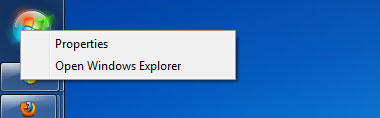 2. Click on Properties and you should see a tabbed window like this.
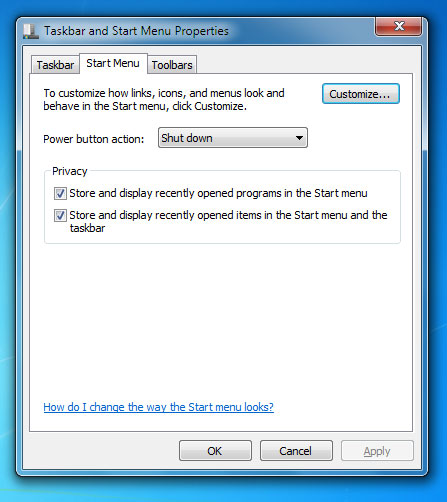 3. On the right side of the Power button action, you should see a drop down. The action you select will define what shortcut will show on the start menu. In my case I want to set it to sleep.
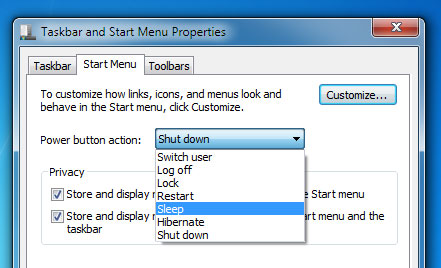 4. When you’ve made a selection, click on Apply and OK.
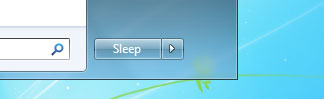
5. Done! Now when I click on the Start button, I’m a 100% sure I won’t accidentally shutdown my computer.
4. When you’ve made a selection, click on Apply and OK.
5. Done! Now when I click on the Start button, I’m a 100% sure I won’t accidentally shutdown my computer.
 Hope this helps ^_^]]>